I made stationery using HTML & CSS
I'm so web dev-brained that I reach for HTML & CSS when I need to design stuff for printing on paper. I find the declarative syntax comforting. The CSS of my résumé page secretly makes it print pretty well.
I recently found myself wanting to print up some stationery on my Brother HL-L2395DW laser printer on 5" x 7" paper I bought at Paper Source. Naturally, I whipped up a simple HTML page and tweaked the printer settings until it worked. I have to manually feed the paper. I set the paper setting to "heavyweight paper" to avoid ghosting due to improper fusing. I had to create a custom paper size in the printer dialog to support this size of paper. But besides that, it was actually pretty straight-forward and worked a treat.
<!doctype html>
<html lang="en">
  <head>
    <meta charset="UTF-8" />
    <meta name="viewport" content="width=device-width, initial-scale=1.0" />
    <title>Stationery</title>
    <style>
      @page {
        size: 5in 7in;
        margin: 0.17in;
      }

      html {
        margin: 0;
        padding: 0;
      }

      body {
        width: 100%;

        display: flex;
        flex-direction: column;
        align-items: center;

        margin: 0;
        padding: 0;

        background-color: white;
      }

      header {
        display: inline-block;

        margin-top: 0.2in;
      }

      h1,
      h2 {
        font-family: "Times New Roman", serif;
        margin: 0;
        text-align: center;
        text-transform: uppercase;
      }

      h1 {
        font-size: 24pt;
      }

      h2 {
        font-size: 14pt;
      }

      #writing-area {
        display: grid;
        --line-gap: 0.28in;
        --line-thickness: 1px;
        --line-width: 95%;
        grid-auto-rows: var(--line-gap);
        width: 100%;
        flex: 1;
        align-items: end;
        margin-top: 1.2em;
      }

      #writing-area > div {
        justify-self: center;
        width: var(--line-width);
        border-bottom: var(--line-thickness) solid black;
      }
    </style>
  </head>
  <body>
    <header>
      <h2>From The Desk Of</h2>
      <h1>Jay Sherby</h1>
    </header>
    <div id="writing-area">
      <!-- Each div represents a line -->
      <div></div>
      <div></div>
      <div></div>
      <div></div>
      <div></div>
      <div></div>
      <div></div>
      <div></div>
      <div></div>
      <div></div>
      <div></div>
      <div></div>
      <div></div>
      <div></div>
      <div></div>
      <div></div>
      <div></div>
      <div></div>
      <div></div>
    </div>
  </body>
</html>
Look at it in all of its physical glory.
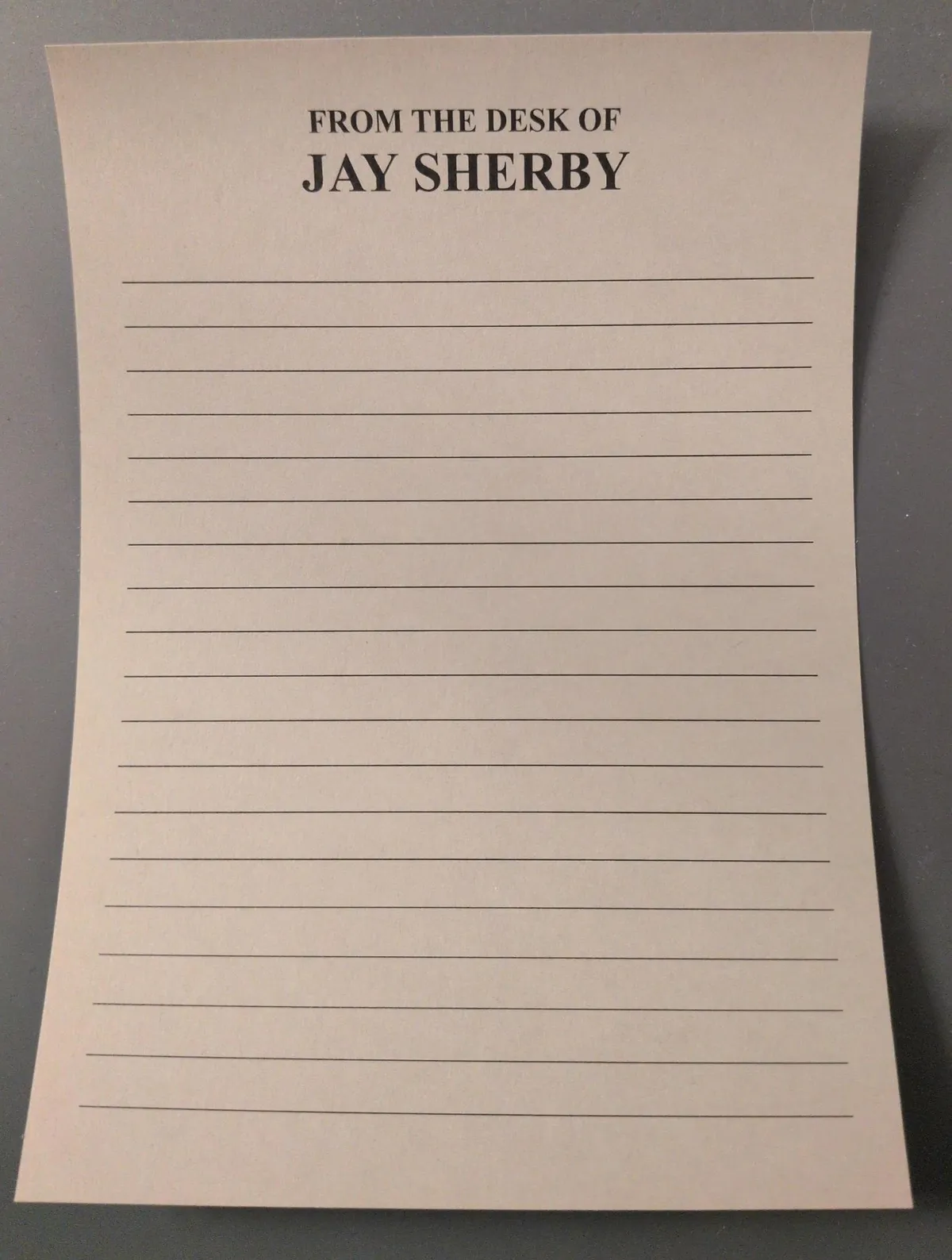
I also made a version for printing on the back that only contains lines. That version really is as easy as removing the header and adding some divs to represent more lines.